Items
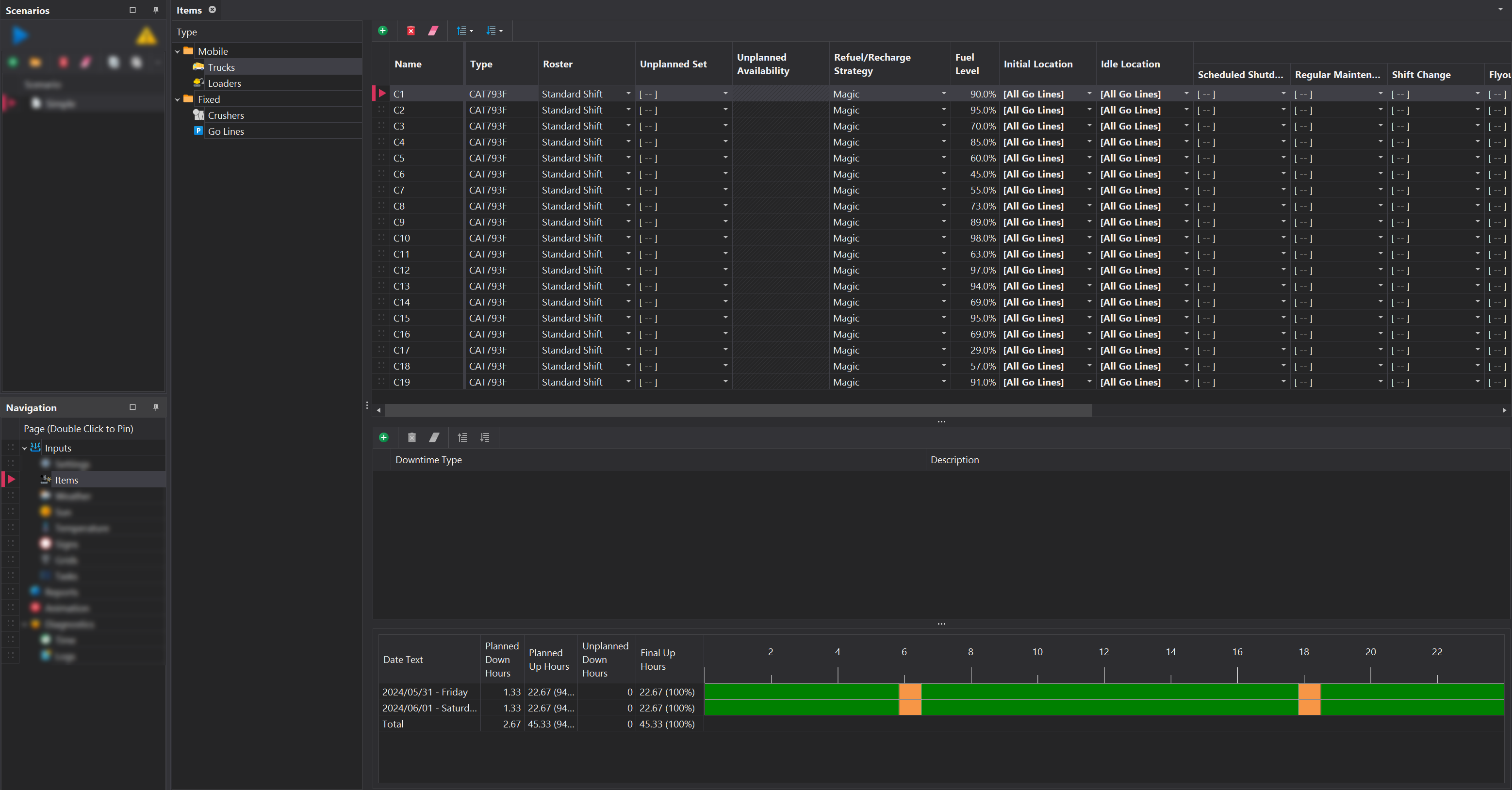
The Items input tab allows you to select the assets, defined in the setup, that will be included in the simulation. Items are organised into two main categories: Mobile and Fixed.
Mobile
Mobile equipment includes Trucks, Water Trucks and Load Units, with each included asset featuring configurable properties. Management of these assets is handled via the toolbar located at the top.
| Column | Asset | Description |
|---|---|---|
| Roster | Truck/Loader | The Roster assigned to the asset. |
| Unplanned Set | Truck/Loader | The Unplanned Downtime Set assigned to the asset. |
| Unplanned Availability | Truck/Loader | The Unplanned Availability percentage to apply to the asset. This input is enabled only if an Unplanned Set is selected. |
| Refuel/Recharge Strategy | Truck/Loader | The Refuel/Recharge Strategy assigned to the asset. |
| Fuel Level | Truck/Loader | The initial fuel or charge level of the asset at the start of the simulation run. |
| Initial Location | Truck/Loader | The starting location of the asset at the beginning of the simulation run. |
| Idle Location | Truck | The location the truck will move to when entering an idle state (e.g., Shift Hand Over). |
| Downtime Terminal Locations | Truck/Loader | The location where downtime events will be performed. If not specified, trucks will go to the idle location, and loaders will remain at their current location. |
Initial Location and Idle Location must be specified for the simulation to run. Failing to do so will result in an error upon running the simulation.
Fixed
Fixed equipment includes Crushers, Chargers, Bowsers, Go Lines, and Workshops, all of which are managed with the toolbar located at the top.
With the exception of Crushers, all fixed items require no additional configuration after being added.
| Column | Asset | Description |
|---|---|---|
| Roster | Crusher | The Roster assigned to the crusher. |
| Unplanned Set | Crusher | The Unplanned Downtime Set assigned to the crusher. |
| Unplanned Availability | Crusher | The Unplanned Availability percentage to apply to the asset. This input is enabled only if an Unplanned Set is selected. |
If no entries are created under a Fixed item node in the setup, that node will not appear in the list.
